
Epic Pen Pro: say more on screen
Type, draw shapes and arrows, switch to a whiteboard, let ink fade, and spotlight your cursor.
Try Pro free for 14 daysBuilt for people who explain things every day
Epic Pen Basic is free for everyone, forever. Pro adds the tools professionals reach for every session — type on screen, draw clean shapes, switch to a whiteboard, let ink fade and spotlight your cursor — so you can say more, faster, and spend less time cleaning up.
What you'll do with Pro
Type, draw and sketch right on your screen — plus fading ink, a highlighted cursor and any colour you need.

Type on screen
Click anywhere and type the answer right next to the question — in any colour and size.

Draw clean arrows & shapes
Straight lines, arrows, boxes and ellipses that point to exactly what matters — and look sharp on any display.

Whiteboard & blackboard
Out of room? Turn your whole screen into a whiteboard or blackboard with one click, and back again.
Trusted by









Epic Pen provides everything a professional needs: drawing and writing tools, fading ink, instant activation of a blackboard/whiteboard, ghost mode to work using only shortcuts leaving the screen free, differentiated stroke size for each tool and more. All this in a fantastic balance between abundance of functions and ease of use.

Epic Pen Pro's versatile color options are invaluable for my work. They allow me to mark specific parts of complex mechanisms with different colors, enhancing the understanding of kinetic architectural designs.
What Pro users say
Pro is built for people who present, teach and explain for a living.
Risk-free, honestly
Try Pro properly before you pay a penny — and change your mind at any time.
14-day free trial
Use every Pro tool free for 14 days before you're billed.
Cancel anytime
Cancel from your account in a couple of clicks. Pro keeps working until the end of your trial or the period you've paid for.
Basic stays free forever
If Pro isn't for you, you keep Epic Pen Basic free forever — nothing to uninstall, nothing to lose.
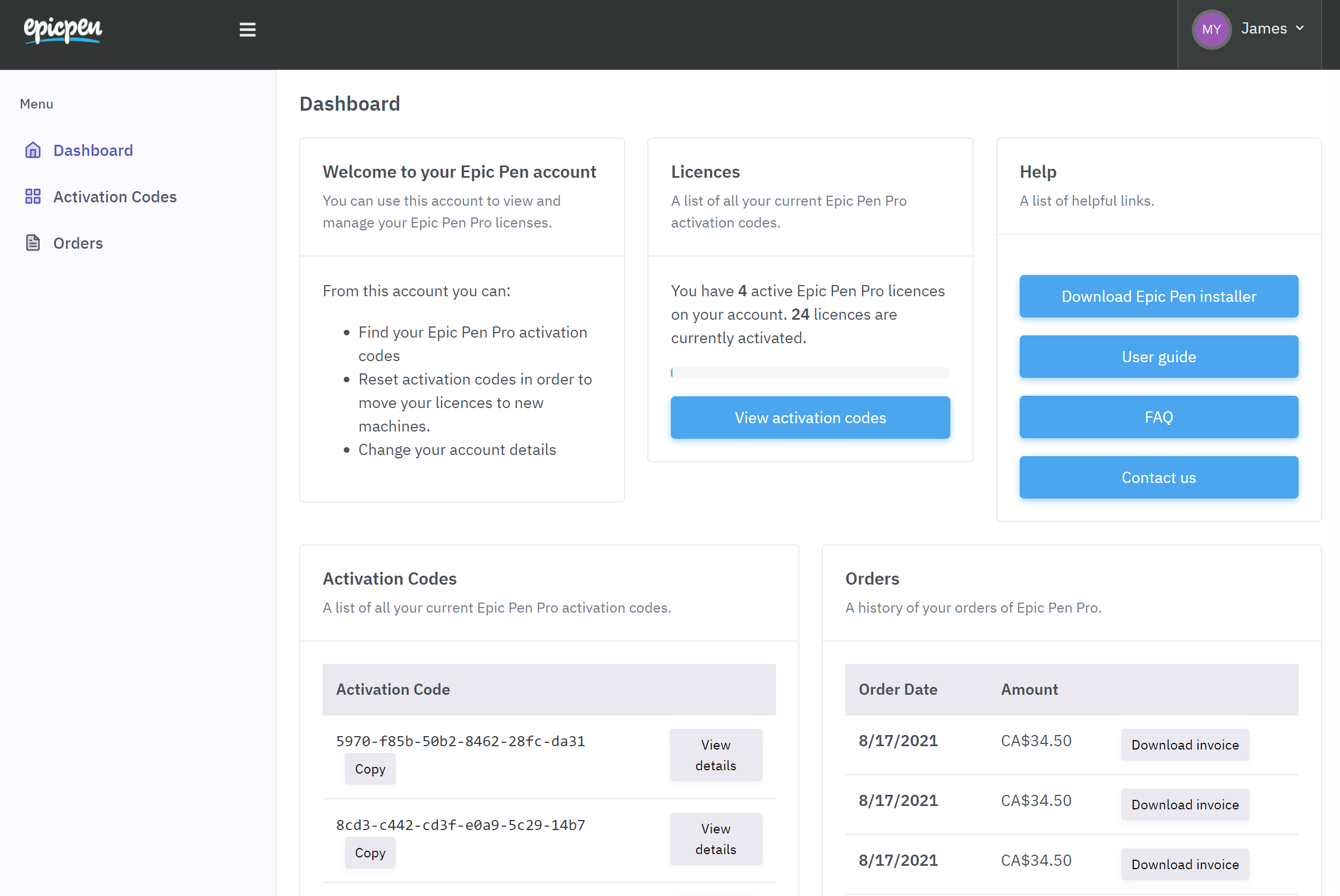
Manage your licence in one place
Move Pro to a new PC, re-assign activation codes and download invoices whenever you need them — all from your Epic Pen account.
Rolling out Epic Pen to a team?
Schools, universities and businesses get volume pricing, silent deployment and central licence management. Tell us how many devices you need and we'll sort the rest.
Try Pro free for 14 days
Epic Pen Pro
Every Pro tool, one simple subscription.
--- / month
Charged annually at --- / year
START FREE TRIALMonthly billing also available at --- / month. Click here for more info.
14-day free trial, then billed yearly. Cancel anytime — Pro stays active until the end of your trial or paid period.
Pro questions, answered
Yes. Schools, universities and businesses get volume pricing, silent deployment and central licence management, and we can work with purchase orders and invoices. Request a quote and tell us how many devices you need.
One licence activates Pro on one Windows device, for every user of that device. You can move your licence to a different PC at any time from your Epic Pen account.
Your 14-day trial converts to the subscription you chose at checkout. If you cancel before the trial ends you won't be charged at all, and Pro keeps working until the trial finishes.
Yes. Cancel anytime from your Epic Pen account, in a couple of clicks. Pro keeps working until the end of your trial or the period you've paid for, and you won't be charged again.
Epic Pen Pro is available as a subscription so we can keep improving it. Basic is free forever.