
Presentations and training people remember
Draw on your screen in Teams, Zoom, PowerPoint or any app to guide attention, explain faster and keep sessions interactive.
Download free for WindowsYour audience can't follow your cursor
You share your screen and start explaining — and half the room is hunting for your cursor. PowerPoint's pen only works in slideshow mode, and most apps give you nothing at all. Epic Pen draws over every app, so you can point, circle and label whatever is on screen while you keep talking.
Guide attention in any app
Each tool maps to a moment in a real session. Free tools are free at work, too.
Spotlight your cursorPRO
Put a bright halo around your mouse so everyone on the call can see where to look.
Arrows and boxes for live demosPRO
Call out buttons, numbers and fields with clean lines that look sharp on any projector or share.
Ink that cleans up after itselfPRO
Draw as you talk and let marks fade away — no stopping to tidy the screen between points.
Type labels on screenPRO
Click anywhere and type a label, a step number or an action item, right where it belongs.
Sketch on a whiteboardPRO
Switch your screen to a whiteboard or blackboard mid-session to sketch a process or architecture.
Draw and highlight, free
The pen, highlighter and eraser are free for everyone — including commercial use at work.
Works in the tools you present with
No plugins, no permissions from the meeting host — your ink is simply part of your screen.
- Microsoft Teams
- Zoom
- Google Meet
- Webex
- PowerPoint
- Google Slides
- PDF readers
- Any Windows app
Epic Pen draws over your whole screen, so it works in whatever you present with.
A typical session
What a session looks like with Epic Pen on your side.
Share your entire screen
In Teams, Zoom or Meet, share your whole screen — not a single window — so your audience sees every mark.
Draw while you talk
Circle the number that matters, draw an arrow to the next step, highlight the line you're reading.
Explain the hard part
Type a label, switch to the whiteboard for a quick sketch, then jump straight back to your material.
Clear and carry on
Clear everything with one key — or let fading ink do it for you — and move to your next point.
Built for live sessions
Present over anything
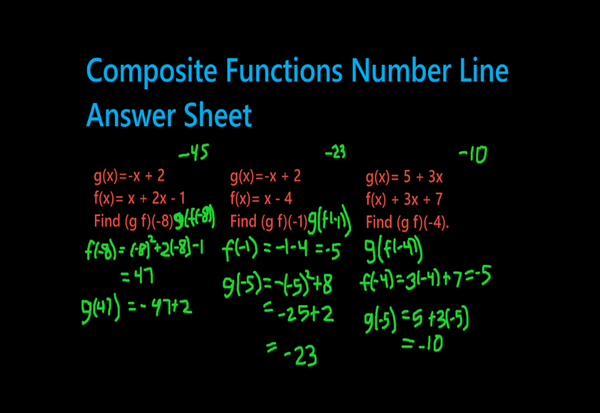
Draw and annotate over documents, slides, dashboards and webinars — your material stays live and clickable underneath.

Work through it together
Mark up a shared screen in real time to gather ideas, walk through plans and make sure everyone is looking at the same thing.

Keep what you covered
Capture the annotated screen with the screenshot tool and share it as the follow-up — no retyping what was said.
Trusted by










Using Epic Pen is a game changer for me. It's like a teacher's aid that gives very clear visual cues to the students watching my classes. It allows me to quickly turn my mouse into a drawing tool with the press of a hotkey and begin annotating and highlighting areas on my screen. My lectures are more detailed and my students are more engaged.

Epic Pen provides everything a professional needs: drawing and writing tools, fading ink, instant activation of a blackboard/whiteboard, ghost mode to work using only shortcuts leaving the screen free, differentiated stroke size for each tool and more. All this in a fantastic balance between abundance of functions and ease of use.
What trainers say
Epic Pen is used by trainers who deliver hundreds of hours of live sessions a year.
Free vs Pro for presenters
| Basic — free | Pro | |
|---|---|---|
| Pen, highlighter & eraser | ||
| Screenshot tool | ||
| Colours | 16 | 24 + any custom colour |
| Highlighted cursor for calls | ||
| Arrows & boxes for demos | ||
| Text labels | ||
| Whiteboard & blackboard | ||
| Fading ink |
Basic is free — including commercial use at work.
Rolling out Epic Pen to your team?
Volume pricing, silent deployment, central licence management, and purchase orders and invoices for your procurement team.
Download & pricing
- Pen, highlighter & eraser
- Screenshot tool
- Hotkeys & Ghost Mode
- Pen pressure & multi-touch
- 16 colours
- Text tool
- Shapes & arrows
- Whiteboard & blackboard
- Fading ink
- Highlighted cursor
Pro
The tools professionals use every day.
--- / month
Charged annually at --- / year
START FREE TRIALMonthly billing also available at --- / month. Click here for more info.
- Everything in Basic
- No in-app ads
- Text tool
- Shapes & arrows
- Whiteboard & blackboard
- Fading ink
- Highlighted cursor
- 24 colours + any custom colour
- Move your licence between PCs
14-day free trial, then billed yearly. Cancel anytime — Pro stays active until the end of your trial or paid period.
- Everything in Pro
- Volume pricing
- Silent & mass deployment
- Central licence management
- Purchase orders & invoices
- Priority email support
Questions from presenters and trainers
If you are using screen sharing software or screen recording software such as OBS, Microsoft Teams or Zoom, you may find that Epic Pen ink does not always show up in the screen capture.
If you want to capture Epic Pen ink in this software you need to ensure you choose to record the entire screen. If you are looking to share a PowerPoint window over Zoom, for example, make sure you choose to share the screen that the PowerPoint window is on, and not only the PowerPoint window itself. This is because software like Zoom, Teams and OBS will see the Epic Pen ink and the PowerPoint window as different windows, and if you choose to share the PowerPoint window only, these programs will typically ignore the Epic Pen ink.
Yes. Epic Pen Basic is free for everyone, including commercial use at work. Pro adds the text tool, shapes, whiteboard, fading ink and the highlighted cursor, with a 14-day free trial.
No. Your ink is drawn on your screen, so it's simply part of what you share. Attendees in Teams, Zoom, Meet or Webex see your annotations without installing or enabling anything.
Epic Pen ships as a digitally signed installer with no bundled third-party software, and it supports silent installation and command-line activation for managed rollouts. Pro licences are ad-free, so nothing pops up in front of a class or client. Ask us for anything else your IT or procurement review needs.
Yes. We can work with purchase orders and invoices for team and organisation purchases. Request a quote with your device count and we'll take it from there.